How to fill out a report correctly?
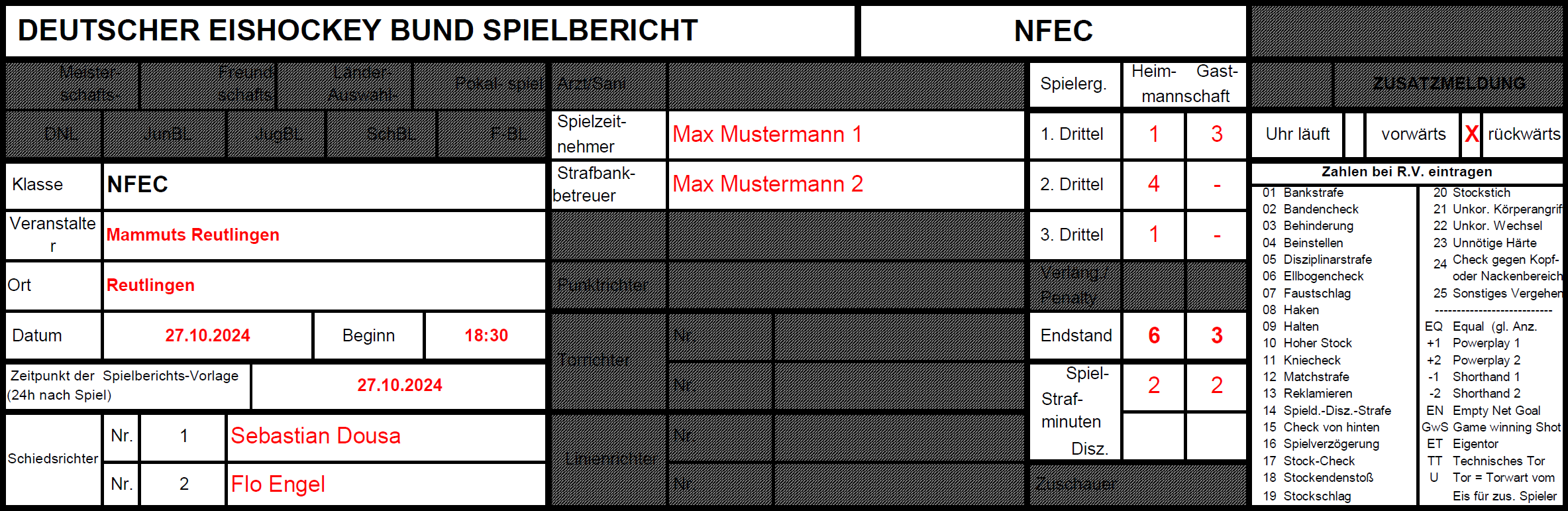
In the report header, in addition to the organizer, location and date, the names of the referees must also be entered. The timekeeper and penalty box attendant should also be specified.
After each period, the number of goals scored in that period must be entered in the corresponding fields. At the end of the game, the total number of goals per team is entered in the "Final Score" field. The penalties received are noted below this field.
It should also be noted whether the clock runs forward or backward. If a game is played with 25 minutes per period, this should also be noted on the report.
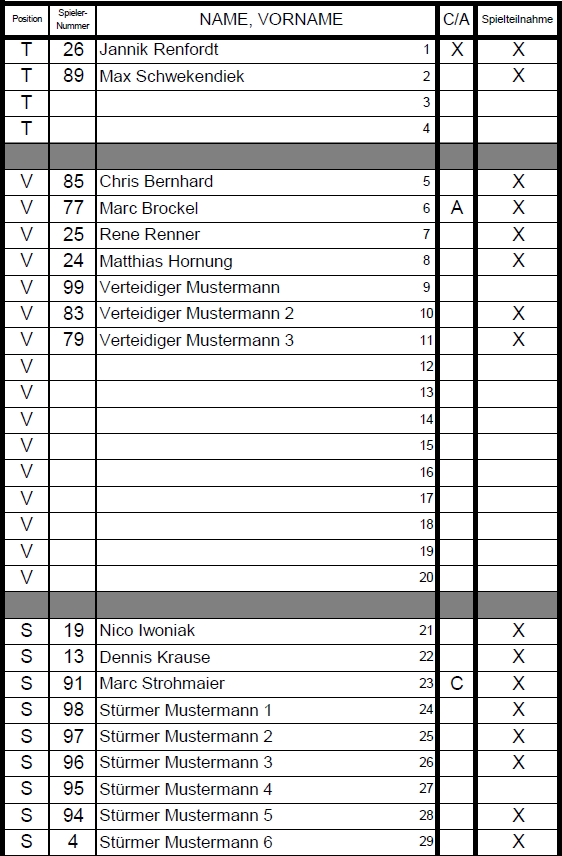
Each player must be entered in the roster with their number. Start with the goalkeepers, then the defenders and finally the forwards.
Players who are captain or assistant should be marked with a <b>C</b> or <b>A</b> respectively. All players participating in the game should be marked with an <b>X</b> in the "Game Participation" column.
The goalkeeper who starts the game is additionally identified with another <b>X</b> after the name or in the "C/A" column.
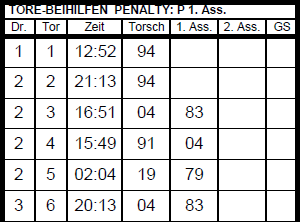
When entering, the "Period" column <i>(Period)</i> must first be filled in. Then, the goal number (starting at 1) is noted in ascending order in the "Goal" column. The enumeration is to be carried out separately for each team. In the "Time" column, enter the time displayed on the clock at the time of the goal.
Under "Scorer" <i>(Scorer)</i>, enter the jersey number of the player who scored the goal. The number is announced by the referee. The same applies to "1st Ass." and "2nd Ass." <i>(1st & 2nd Assist)</i>, but for the players who gave the assist.
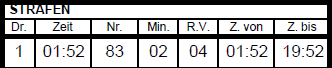
As with goals, the period number, time and player jersey number "No." must be noted in the "Period" column. Under "Min.", enter the duration of the penalty in minutes. For games with running time, only 2 minutes are entered despite a 3-minute penalty. "R.V." stands for rule violation and the number for the corresponding penalty must be entered. "From" and "To" are optional and represent the start and end time of the penalty.
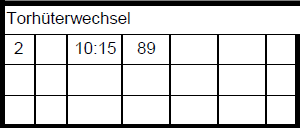
For a goalie change, the period and time must be entered again. Additionally, the number of the new goalkeeper is specified.